xTerminal
A powerful shell that brings Linux/Bash-style commands to Windows. Built as an intelligent layer over PowerShell and CMD — with a built-in AI assistant, C# code runner, encrypted password manager, interactive process monitor, port scanner, firewall manager, and much more.
Feel the Power

System Administration
Deep Windows integration — manage processes, services, firewall, hardware, and power states from one terminal.
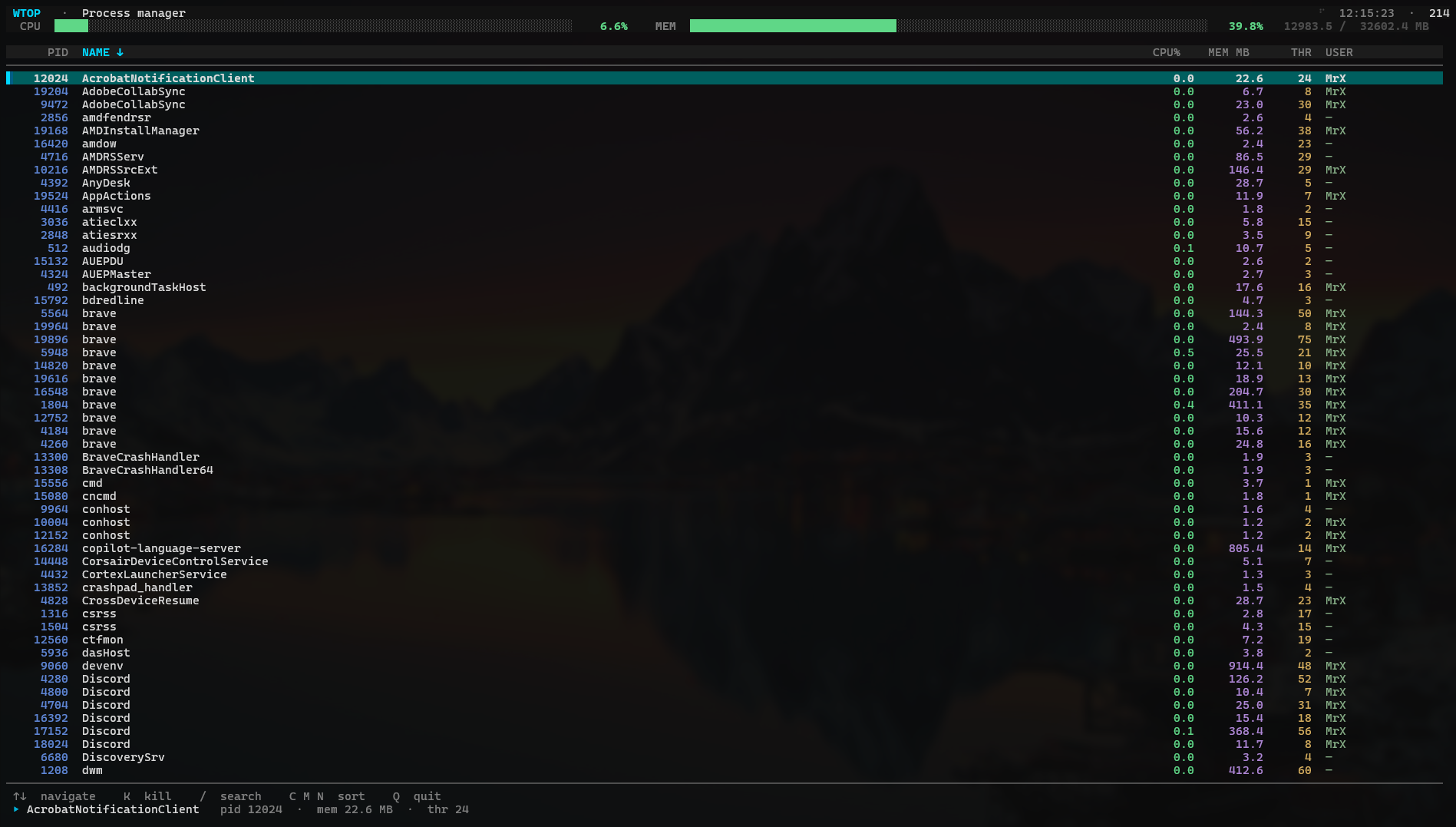
Interactive terminal UI for process management. Navigate with arrow keys, kill processes, search by name, and sort by CPU / Memory / Name. Redesigned in v3 with an improved terminal UI.
List, start, stop, and restart Windows services. Check status, read descriptions, and manage services on remote machines with -r.
Full firewall rule control — list, add, delete, enable, disable. Filter by inbound/outbound. Configure protocols, ports, profiles, and addresses.
Display BIOS info, storage device details, PC system information — locally or on a remote machine. pcinfo features a new tech-style redesign in v3.
bios— BIOS details (local/remote)sinfo— Storage devicespcinfo— Full system summary
Reboot, shutdown, sleep, hibernate, or logoff — locally or on remote machines. Force flag available for stubborn sessions.
Prefix ps to run any PowerShell command. Prefix cmd for CMD. Both shells accessible without leaving xTerminal. New in v3.0.1.0: run environment (cmd/ps) commands directly without any prefix — alias commands take priority if names clash.
List all installed Windows applications and launch their uninstallers directly from the terminal with uninstall. No more hunting through Settings.
Full environment variable manager — get, set, append to, and delete variables in user or system scope directly from the terminal.
File System Operations
All the file commands you love from Linux, tuned for Windows with CRC verification, metadata extraction, and smart search.
Display files with rich filtering: first/last N lines, line ranges, contains/starts/ends/equals search, count lines, concatenate multiple files.
List with file/dir filter, duplicate detection (MD5), size scan, file count, timestamps, tree view with depth control, and text highlight.
fcopy and fmove verify data integrity via CRC checksum after every operation. Never silently corrupt a file again.
Overwrite file data with multiple passes (default 3) before deletion. Configurable pass count. No recovery possible.
Find files and directories by contains / starts-with / ends-with / exact name. Filter to files-only or dirs-only. Save results to file.
Create archives from multiple files and folders. List zip contents, extract, and control compression level (Optimal / Fastest / Smallest).
diff shows file differences (verbose mode available). cmp compares files by MD5 hash for a quick identity check.
exif extracts image metadata. file checks file type from magic byte signatures — path, extension, hex, and description.
Capture the state of a directory and compare it against a later snapshot. Instantly see which files were added, removed, or modified — ideal for monitoring deployments and installs.
Watch a directory in real time for creates, modifies, renames, and deletes. Optional recursive mode and log-to-file support for persistent audit trails.
Network Tools
A complete network toolkit in your terminal — from speed tests to port scanning to Wake-on-LAN.
Scan single ports or full port ranges. Configure send/receive timeouts. Disable ping for stealth scanning.
Ping with configurable reply count or infinite mode (cancel with Ctrl+X). Traceroute with IPv6 support, hop limit, and timeout config.
Test your internet speed against Google servers directly from the terminal.
Download files from any URL with TLS/SSL support. Save to custom directory. Disable ping check for restricted hosts.
Send magic WOL packets to wake up any LAN device by IP and MAC address. Custom WOL port support.
Detect ARP spoofing and Man-in-the-Middle attacks on your local network segment.
Real-time multi-host latency dashboard showing current, average, min, and max latency plus packet loss — colour-coded by performance tier. Monitor an entire server fleet at once.
Security & Privacy
AES-256 password vaults, file hashing, hex inspection — security tooling baked into every session.
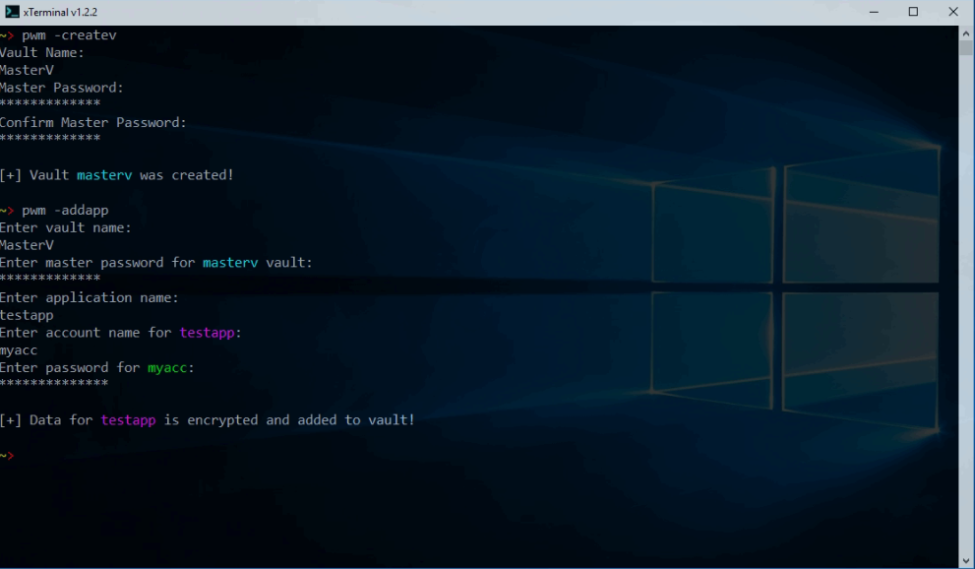
Local encrypted vault using Rijndael AES-256 with Argon2 key derivation. Multiple vaults, per-app entries, master password enforcement (12+ chars, upper, lower, number, special).
- Create / delete vaults
- Add, update, delete app entries
- List apps with masked passwords
- Zero cloud exposure — fully local
Calculate MD5 (default), SHA-256, or SHA-512 checksums. Scan entire directories recursively. Save results to file for verification.
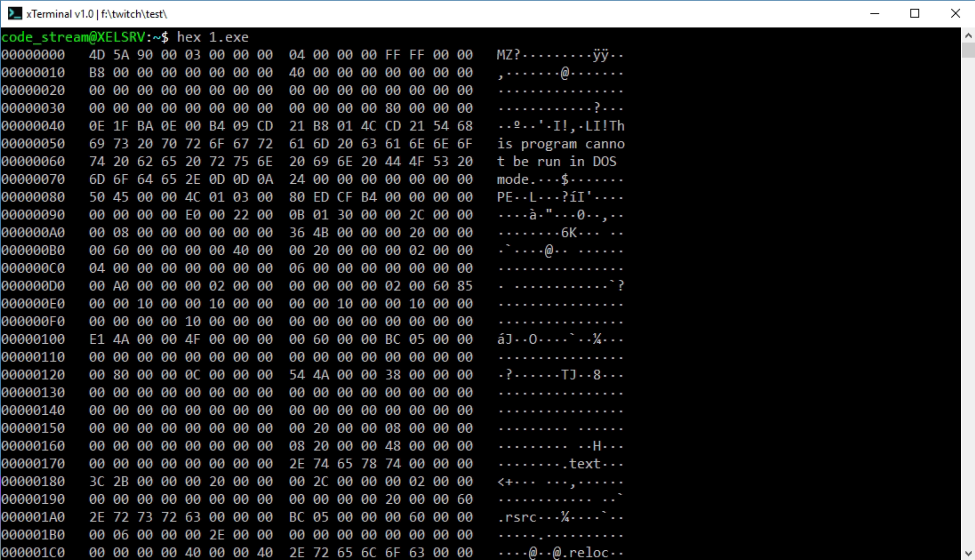
Inspect the raw bytes of any file in a formatted hex dump. Export output to a file for analysis.
Multi-pass overwrite before deletion. Default 3 passes, configurable with -i. Prevents forensic file recovery.
Check Windows file and folder permission ACLs at a glance.
AI in Your Terminal
Type cgpt and ask anything — cloud AI or fully private local LLM. Your choice.
Set your API key once with cgpt -setkey. Pick any model. Ask questions about your system, code, or anything else directly from the shell prompt.
Access Claude, Mistral, Gemini, and hundreds of other models through OpenRouter's unified API — with the same cgpt command.
Use cgpt -o "question" for fully offline, private AI. List local models with cgpt -l. Switch models anytime with cgpt -sm modelname.
C# Code Runner & Add-ons
Run .cs files instantly with Roslyn. Build custom commands in C# and load them as native xTerminal add-ons.
Point ccs at any .cs file and it compiles and runs it in-memory via Roslyn. Pass parameters with -p. Top-level statements supported.
Create your own terminal commands in C#. Add them with ! -add, list with ! -list, invoke by name. Stored in the Add-ons directory.
Define aliases for any command combination. Use % as a parameter placeholder. Manage with alias -add, -del, -update, -list.
Power Features
A ; B— run B after A (always)A && B— run B only if A succeedsA || B— run B only if A failsA &— run A in background- Chains are fully nestable
- 16 predefined colors for each element
- 5 prompt indicators (> → => $ >>)
- Toggle user@machine display
- Customize directory color
- Change output success color
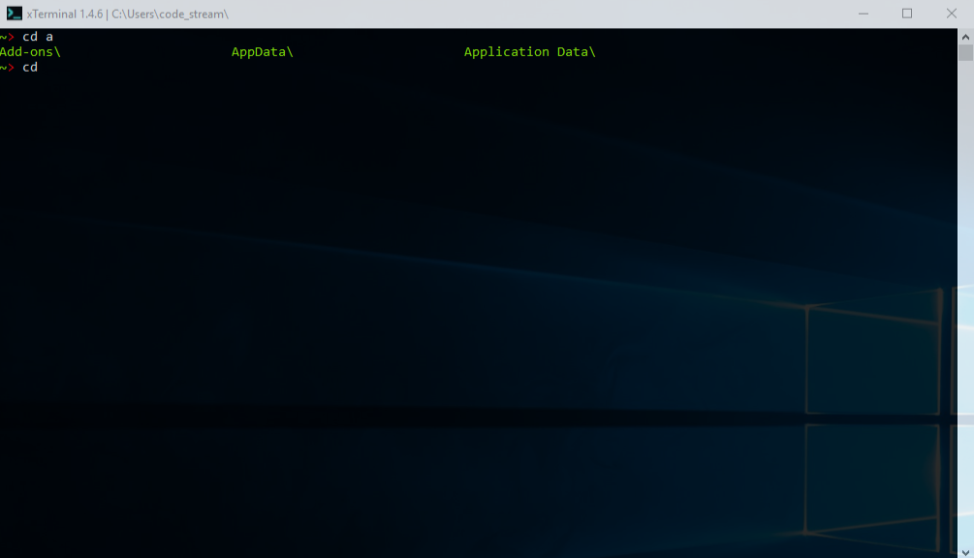
TAB auto-completes file and folder names for cd, cat, ls, del, ccs, hex, and more. Double TAB shows all suggestions.
Browse up to 2000 previous commands with timestamps. Configurable history size. Clear history with chistory.
Take a break — flappy (Flappy Bird) and snake (classic Snake) run right in the console.
Upload files to waifuvault.moe with expiry, password protection, one-time download, and bucket management.
cal shows a calendar. time displays current time. sort sorts file data. pjson prettifies JSON. tee pipes to file.
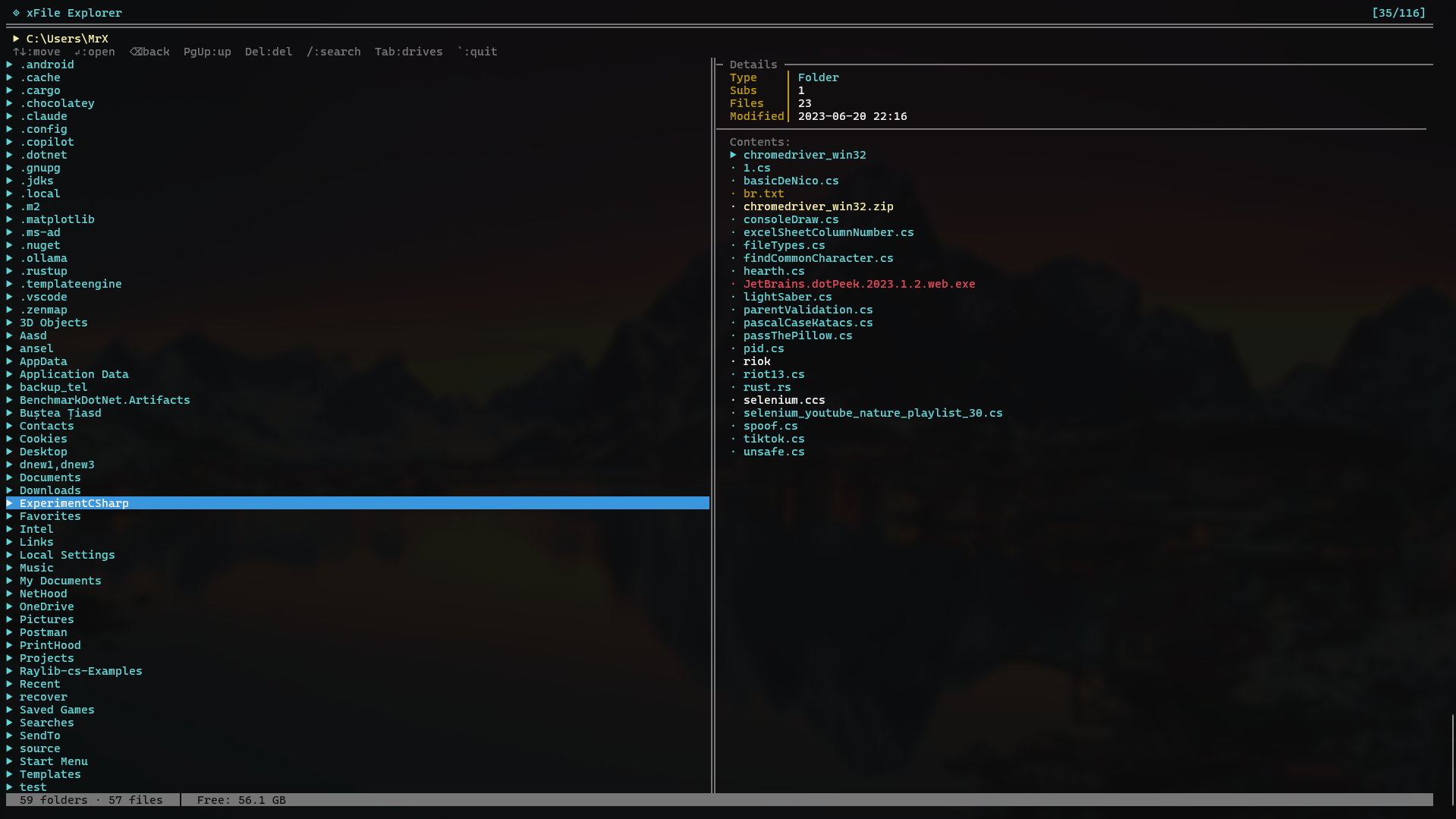
Interactive file explorer built into the terminal. Browse directories and files with a keyboard-driven UI — navigate, open, and manage files without leaving xTerminal. Enhanced in v3 with improved navigation and load performance.
- Keyboard navigation (↑↓ arrows)
- Browse files and folders interactively
- Launch directly with
fxp
Scripting & Automation
A full scripting language built for xTerminal, plus a built-in code editor, named chains, context snapshots, and persistent notes.
A full scripting language built for xTerminal. Run .xt script files, validate syntax with xt -check, and scaffold templates. Supports variables, math eval, string ops, if/elif/else, loop, while, each, functions, file I/O, user input, try/catch, and full shell integration via run and capture. Bug fix: escape sequence parsing (\t, \n) now interpolates correctly.
A built-in code editor opened directly from the terminal. Features C# IntelliSense, Roslyn real-time error diagnostics, multi-language syntax highlighting (C#, C/C++, Rust, JS, Python), integrated file explorer, Go to Line, Search Next (n / F3), Shift+Arrow selection with copy/paste, automatic indentation, and unsaved-changes warnings.
Create, manage, and run named sequences of commands executed in order. Build repeatable multi-step workflows and invoke them by name from any session.
Save and restore named terminal contexts — working directory plus environment variable snapshots. Switch between project environments instantly.
Persistent notepad built into the shell. Add, list, and delete notes directly from your terminal session without switching to another application.
Benchmarking & Command Watch
Repeat any command on an interval or benchmark it across N runs — straight from the shell.
Re-run any command at a fixed interval and refresh the output — like Unix watch. Ideal for monitoring log tails, port states, or service status continuously.
Benchmark any command by running it N times and reporting min, average, max, and total execution times. Identify performance regressions at the shell level.
Command Reference
85+ commands at your fingertips
Technology Stack
Ready to Upgrade Your Terminal?
Download xTerminal from GitHub. .NET 10 required. Works on Windows 10 and above.